Websites
What Your Tattoo Website Actually Needs (and What's a Waste of Money)
Five things every tattoo website must have, and four expensive features you can safely skip. A practical guide to building a fast, effective studio site.

What Your Tattoo Website Actually Needs (and What’s a Waste of Money)
Your tattoo website doesn’t need to be complicated or expensive to work. Focus on five essentials: local SEO, a professional first impression, a strong portfolio, a clear booking button, and practical info like hours and pricing. Skip overhyped extras like blogs, built-in e-commerce, WordPress, and custom booking systems, they cost more and rarely help. For a full breakdown of your platform options, see the tattoo website builder comparison.
Key Takeaways:
-
Local SEO: Use Google Business Profile and city-specific keywords to rank higher.
-
Fast, mobile-friendly design: 60% of visitors use phones; slow sites lose clients.
-
Portfolio: Showcase by style with high-quality photos (include healed tattoos).
-
Simple booking: Prominent “Book Now” buttons linked to external tools like Calendly.
-
Basic info: Hours, location, pricing, and aftercare instructions upfront.
What to Avoid:
-
Blogs: Rarely updated and don’t drive bookings.
-
E-commerce: Use platforms like Etsy instead of costly built-in systems.
-
WordPress: Overkill for small updates; static sites are faster and easier.
-
Custom booking systems: External tools do the job for less.
A clean, fast site (starting at $99) beats a $5,000 overbuilt one. Focus on what matters: turning visitors into clients.
5 Website Features That Actually Get You Bookings
Your website doesn’t need to be overloaded with bells and whistles. In fact, just five focused features can turn casual visitors into paying clients. These aren’t just theories, they’re backed by real-world results from successful studios.
Local SEO Presence
Did you know that 46% of all Google searches have local intent? When someone searches for “tattoo near me” or “best tattoo artist in Portland”, your studio needs to be front and center. That’s where local SEO comes in. Once your site is live, read the guide on how to get your tattoo website found on Google for the first-48-hours checklist.
Start with your Google Business Profile. Brotherhood Tattoo saw a 70% jump in direction requests and direct calls just by adding detailed service descriptions, starting prices, and posting weekly updates. That’s free traffic from a tool many studios overlook.
On your site, weave in location-specific keywords naturally. Instead of a generic “Black and Grey Tattoos” page, try something like “Black and Grey Tattoos in [Your City].” Kingdom Ink in Portland did this and shot up from page 3 to position 2 on Google for that search term.
Once people find you, the first impression your site makes can seal the deal, or send them running.
Professional First Impression
Your website is like a digital handshake. If it’s clunky or slow, visitors might assume your tattoo work lacks precision too.
Speed really matters. 53% of users leave a site that isn’t mobile-friendly, and over 60% of tattoo website visitors browse on their phones. If your site takes ages to load or looks broken on a smartphone, you’re losing clients before they even see your work.
A polished website doesn’t have to be fancy. It just needs to load fast, look sharp on any device, and have HTTPS security. Studios that get these basics right often see 15-20% higher conversion rates compared to those relying solely on social media.
Once your site makes a solid impression, your portfolio becomes the star of the show.
Strong Portfolio Gallery
Your tattoo portfolio is your most powerful tool. Organize it by style, blackwork, realism, traditional, fine line, so potential clients can quickly find what they’re looking for. If you have multiple artists in your studio, give each one their own gallery page to help clients connect with their preferred style.
Don’t forget healed work. While fresh tattoos look stunning, healed photos prove your technical skill and build trust. A crisp, healed tattoo speaks volumes about your craftsmanship.
“Your artwork is your strongest selling point, so it needs to shine online. A clean, organized gallery lets visitors browse your best tattoos quickly and helps them decide if your style fits.”, Get Shit Done Marketing
Use high-quality, professional photos, no shaky phone pics or bad lighting. Compress images to keep your site fast, but don’t sacrifice clarity. Add descriptive alt text for SEO, like “traditional rose tattoo, shoulder placement, color”.
Clear Booking Path
Once you’ve wowed them with your portfolio, don’t make them hunt for how to book. A “Book Now” button that stays visible as they scroll can make all the difference.
This button doesn’t need to be fancy. Link it to your booking platform, whether it’s Calendly, Acuity, or something else. Midnight Canvas discovered that 80% of their first-time clients followed this path: they found the studio on Instagram, Googled it, and then booked through the website.
Don’t hide the booking button in menus or bury it at the bottom of the page. Keep it prominent, use a contrasting color, and make it easy to click. The simpler the process, the more appointments you’ll secure.
Practical Information
Make the essentials easy to find: hours, location, pricing ranges, and aftercare instructions.
Include your full address (with a Google Maps embed), operating hours, and pricing ranges. Even rough estimates like “small pieces start at $150” help clients decide if you’re within their budget before reaching out.
Add a dedicated page for aftercare instructions. This answers common questions and shows professionalism. Clients will appreciate having a reliable resource to refer back to. By reducing barriers like these, studios report up to 30% more web leads year-over-year.
4 Features You’re Paying For But Don’t Need
Web design agencies often push feature-heavy websites, promising they’ll boost your bookings. But here’s the truth: many of these extras don’t actually help you land more clients. Instead, they inflate costs and pile on maintenance work. Let’s break down what you can skip.
A Blog
Blogs might sound like a great idea, but they rarely deliver on securing bookings. Sure, they’re pitched as essential, but most studios abandon them within six months. And guess what? An outdated blog can actually hurt your credibility.
As Rathcore Marketing puts it:
“DIY websites demand constant updates, patches, plugins, and backups.”
Instead of pouring energy into a blog, let your Instagram handle the heavy lifting for discovery and engagement. Your website’s main job? Turning visitors into clients, not becoming a content hub.
E-Commerce Functionality
Selling merchandise? Skip the built-in e-commerce setup. These systems often add significant costs without directly contributing to bookings. Platforms like Square or Etsy already handle inventory, payments, shipping, and security for you. A simple “Shop Merch” button linking to your external store does the job perfectly, and it’s quick and inexpensive to implement.
A CMS Like WordPress
A full content management system (CMS) like WordPress is another feature that’s often oversold. Unless you’re updating your site regularly, like every week, it’s overkill. Most studios only tweak their websites a few times a year, such as updating hours or adding new portfolio pieces. WordPress, while powerful, comes with added maintenance and security concerns.
Rathcore Marketing highlights this issue:
“A pro-managed setup includes updates and security, meaning fewer unexpected crashes and no developer babysitting.”
A simple, static website is a better choice for most studios. It’s faster, ranks better on Google, and requires minimal upkeep. Plus, without frequent updates, there’s less risk of technical hiccups.
Built-In Booking Systems
Custom booking systems might sound convenient, but they come with a hefty price tag, often adding $2,000 or more to your website project. The good news? You don’t need one. External tools like Calendly, Acuity, or Square Appointments handle real-time availability, reminders, and bookings without a hitch. A “Book Now” button linking to one of these platforms provides the same user experience without the extra cost or complexity.
What Overbuilt Websites Actually Cost You
::: @figure 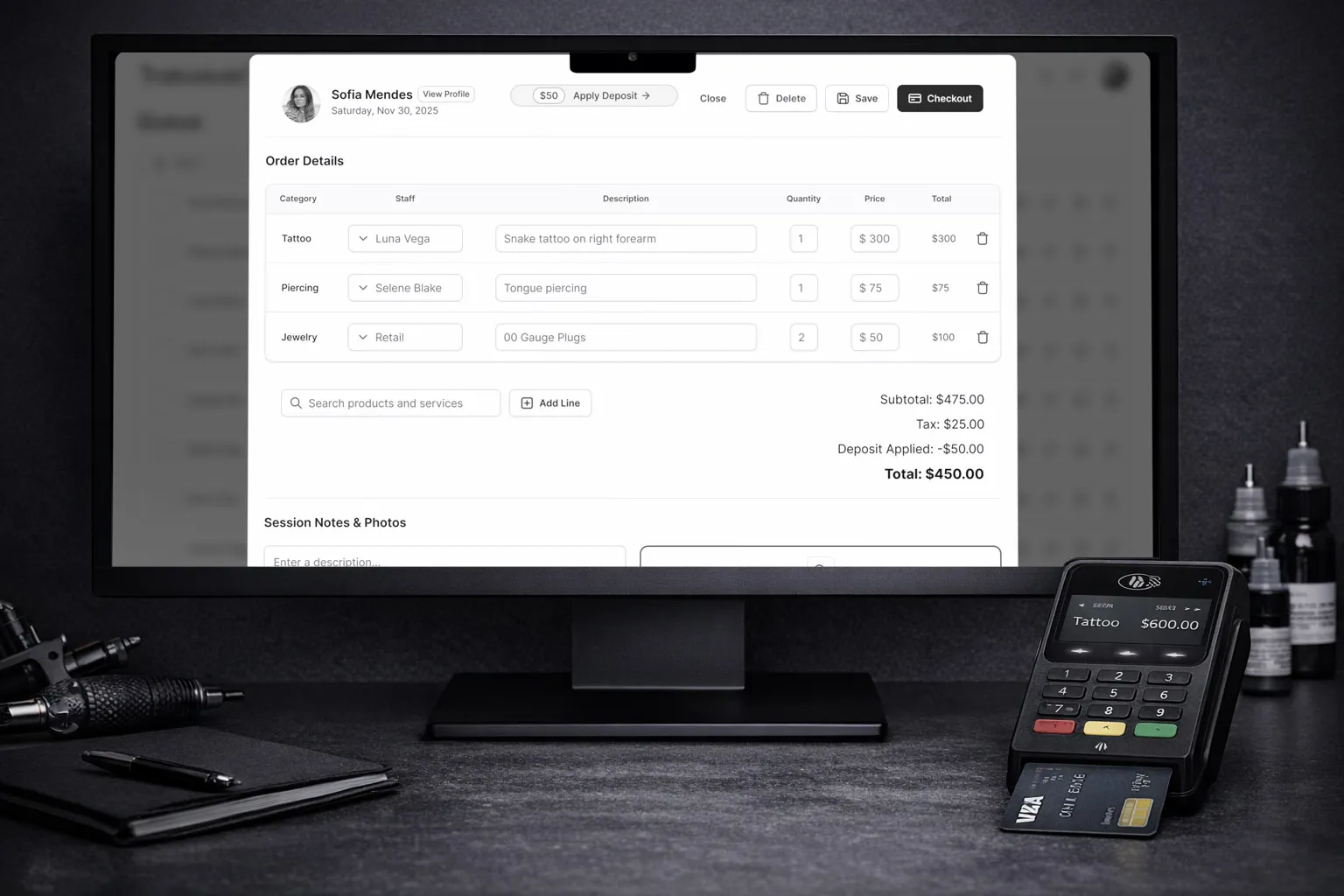 {Overbuilt vs Simple Tattoo Websites Cost and Performance Comparison}
:::
When agencies pitch feature-heavy websites, they often leave out the hidden costs. Beyond the initial price tag, these custom sites come with recurring expenses, slower performance, and ongoing maintenance headaches.
Upfront costs only scratch the surface. Agency-built WordPress websites typically start around $3,000 and can easily climb to $8,000 or more. On the other hand, simple static templates range from just $99 to $199 as a one-time purchase. If you’re weighing those options, our comparison of DIY vs. done-for-you tattoo websites breaks down the tradeoffs.
Time to launch is another critical factor, especially when delays mean losing bookings. Custom-built sites often take 4 to 6 weeks to go live. With a static template, you could be up and running in just a weekend. Every week your site isn’t live translates to missed opportunities and revenue.
Performance is where overbuilt websites can truly harm your business. The average complex WordPress site takes over 4 seconds to load, while a clean static site can load in under 1 second. Why does this matter? Because 53% of users abandon slow-loading mobile sites, and with more than 60% of your visitors likely browsing on their phones, speed is everything. Faster load times mean fewer bounces and better rankings on Google.
Here’s a quick side-by-side look at how overbuilt sites compare to simpler options:
Overbuilt vs. Simple Sites: A Comparison
| Feature | Agency-Built WordPress | Simple Static Site |
|---|---|---|
| Upfront Cost | $3,000-$8,000 | $99-$199 |
| Launch Timeline | 4-6 weeks | 1-3 days |
| Load Time | 4+ seconds | Under 1 second |
| Maintenance | Frequent updates, patches, plugin management | Minimal; no plugins to break |
| Ownership | Often tied to agency or platform | Full ownership of all files |
| Monthly Hosting | Variable, often higher | ~$10/month |
The hidden costs of complex websites add up quickly. They often require ongoing “developer babysitting” to handle unexpected crashes, plugin conflicts, or security patches. As Rathcore Marketing puts it:
“DIY needs constant updates, patches, plugins, backups, it gets old quick”
In contrast, simple static sites eliminate these hassles. You own all the files, can host them anywhere, and skip the endless maintenance cycle. This breakdown highlights the importance of choosing a lean, fast website that aligns with your studio’s needs without unnecessary complications.
The Simple Alternative: Fast, Affordable, and Effective
Why spend thousands on a slow, overcomplicated website when there’s a better option? Static HTML websites cut out the unnecessary fluff. For a one-time payment of $99 to $199, you avoid monthly fees entirely. See how to build a tattoo artist website without coding or monthly fees for a step-by-step walkthrough. Plus, these websites are lightning-fast, loading in under 1 second, compared to the sluggish 4+ seconds of many overbuilt sites. And here’s the kicker: you own every file. Unlike subscription platforms, your site won’t disappear if you cancel, you can host it anywhere you like.
Setting up is quick and straightforward. In just a weekend, you can download the template, upload your portfolio images, and customize your bio and colors using a visual admin panel, no coding needed. The clean HTML structure ensures Google can easily crawl your site, improving your visibility for local searches like “tattoo artist [your city]”. It’s a no-nonsense solution that keeps the focus on features that bring clients through the door.
“Cancel Squarespace and your site vanishes. Cancel us and you still have every file. Host it anywhere. It’s yours.”
Hosting costs are minimal, around $10 per month, often with three months free to start. With no plugins, updates, or constant maintenance required, your site stays secure, runs smoothly, and keeps the focus where it matters: getting clients into your chair.
What to Build, What to Skip
For more insights, check out What Your Business Actually Needs.
Your tattoo website doesn’t have to do it all, it just needs to do what matters most. Focus on local SEO so potential clients searching for “tattoo artist [your city]” can easily find you. Highlight a curated portfolio that showcases your work by style, this is your biggest selling point. And don’t forget a clear, easy-to-find booking button that turns visitors into clients right away.
Drop the unused blog section that adds no real value. There’s no need for a complicated e-commerce setup when a simple link to your Square shop works perfectly. Skip the hassle of WordPress, plugins, security updates, and hosting fees, for a site you’ll only update occasionally. Instead of overpaying for built-in booking systems, stick to a straightforward booking button that gets the job done.
These adjustments deliver real results. Studies show 94% of first impressions come down to design, and 88% of visitors won’t return after a poor experience. Plus, simple websites that load in under a second rank better on Google and convert 15-20% more effectively than static profiles.
“Clients aren’t judging your skill, they’re judging your interface.”, Rathcore Marketing
The key is investing in features that actually drive bookings. A clean, focused website that highlights your talent and simplifies the booking process will always outperform a cluttered, overbuilt site. Keep it simple, prioritize what matters, and watch your appointments grow. When you’re ready for the booking side of things, try Tattoo Studio Pro free, it handles appointments, reminders, and payments so your website can stay simple.
FAQs
How do I improve local SEO for my tattoo shop?
If you’re running a tattoo shop, tapping into local search intent is key to getting noticed by potential clients nearby. Start by weaving location-based keywords into your site, like “tattoo artist [your city]”. This helps search engines connect your shop with people searching for tattoos in your area.
Make sure your website has all the essentials front and center, your operating hours, address, and contact info should be easy to find. Beyond that, building local connections can work wonders. Use platforms like Google My Business and local directories to create backlinks pointing to your site. And don’t overlook the importance of consistent NAP (Name, Address, Phone) details across all platforms, this consistency builds trust with search engines.
Finally, happy clients are your secret weapon. Encourage them to leave glowing reviews online. Positive feedback boosts your credibility and helps you climb the local search rankings, bringing in even more tattoo enthusiasts.
Is WordPress worth it for a tattoo website?
For a tattoo studio website, WordPress often isn’t the best choice. Why? It comes with added hosting expenses, potential security vulnerabilities, and the hassle of keeping plugins updated. Instead, a simple static site is a much smarter option. It’s faster, loading in under a second, helps improve your Google rankings, and only costs between $99 and $199 as a one-time payment. For most tattoo studios, the key priorities are speed and simplicity, and a static site delivers exactly that.
What should I include on my tattoo pricing page?
Your tattoo pricing page should clearly lay out rates or price ranges, any special packages or discounts, and explain how you determine pricing. This upfront approach helps clients get a better idea of costs, making them more likely to book. Being open and straightforward about pricing builds trust and sets the right expectations.