YOUR WORK, ON the tablet.
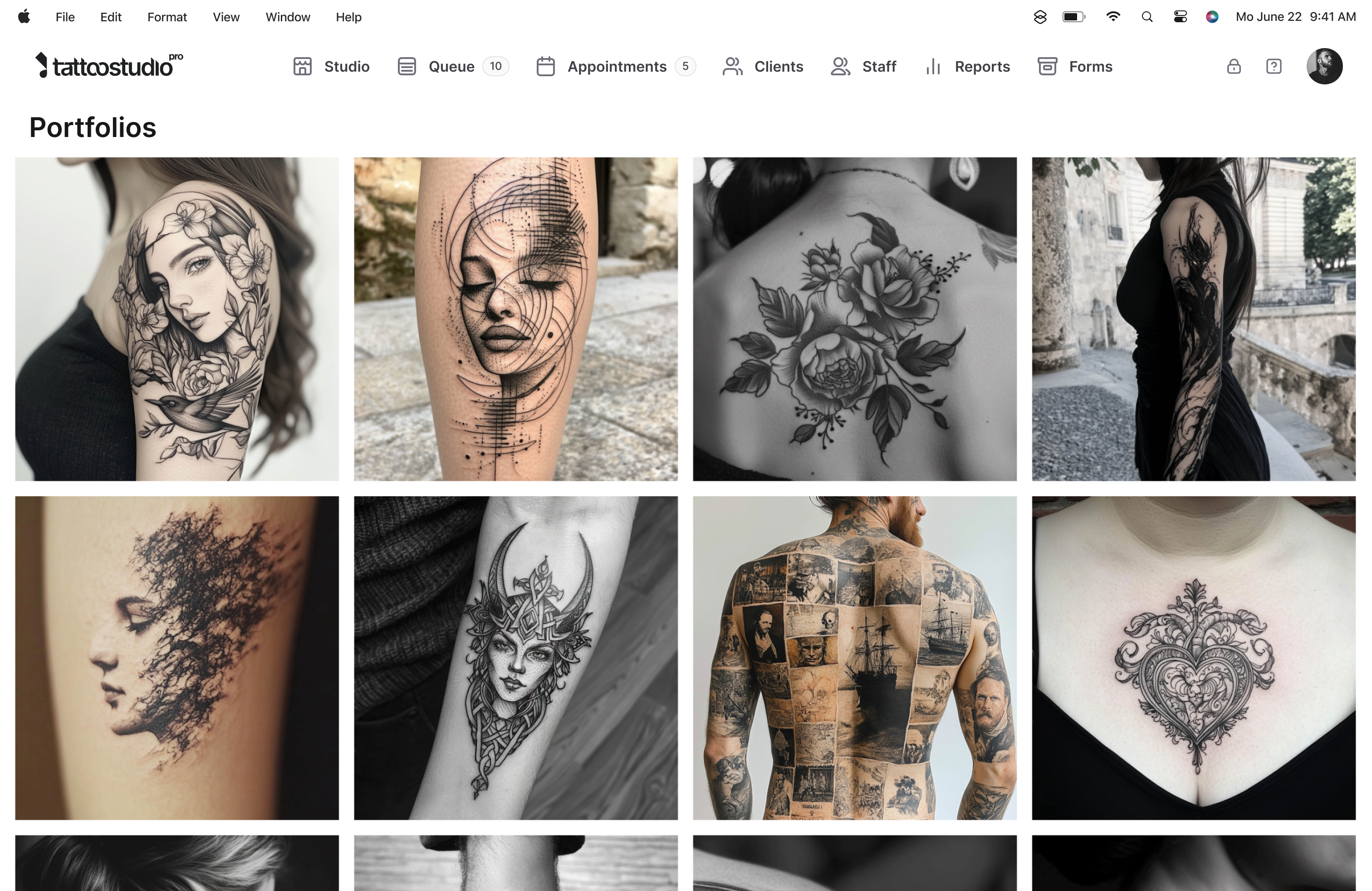
A gallery for every artist, ordered the way you want it, inside the same app you already run your day from. Pull it up on the tablet when a client sits down to describe what they want. No scrolling through your camera roll, no closing Instagram to find something.
Your portfolio is how people decide. Make it easy to show.
A client sits down for a consult. They describe something loose: "Japanese-inspired but a little traditional." You want to show them exactly what you mean. So you open Instagram, scroll past an ad, search for the piece from last May, and hand them a phone with notifications still popping.
The in-app portfolio fixes the consultation mechanics. Ordered the way you want it, filterable by artist, viewable on the tablet, and tied to the same platform your bookings and client records already live in.
What the portfolio does for you.
You decide what leads
Drag pieces into the order you want on web, or use the arrow controls on mobile. Set which artist appears first from Team Management. Your strongest work sits at the top instead of whatever you happened to upload last.
A gallery for every artist
Every artist gets their own gallery, and they all publish together on one studio page clients can filter by artist. On mobile an artist maintains their own; on web a manager handles it. One shop, many identities.
A link for your Instagram bio
Your studio gallery has a public URL that needs no login or install. Drop it in your bio, in booking request responses, anywhere clients look you up, and they can filter straight to the artist they came for.
On your own website too
Copy the embed code and the gallery drops straight onto your site, rendering clean without the studio header so it sits inside your own branding. It updates itself as artists add, remove or reorder work.
Works from any device the shop uses
Upload from your phone after the session. Organize from the desktop on a slow morning. Show from the tablet during the consult. Same gallery everywhere, updated in real time.
Open during the consultation
No closing Instagram, no scrolling past ads, no hunting through your camera roll. It is on the kiosk screen too, so a client waiting at the counter can browse your artists full-screen, swipe between pieces and pinch to zoom.
What the portfolio is not.
It is not a full portfolio website. The in-app portfolio is for running consults inside Tattoo Studio Pro and sharing a public link for clients to browse. If you want a dedicated artist or studio website with its own domain, booking widgets, and branding, the website templates are the right tool.
It is not a public feed with likes or comments. It is a professional gallery, not a social network.
Quick answers.
Can I sort my work into style categories?
Not into named categories, no. A portfolio is an ordered set of images, and you control that order piece by piece, so most artists group a style together by putting those pieces next to each other. Clients filter the public gallery by artist rather than by style.
Does each artist manage their own portfolio?
On mobile, yes, an artist maintains their own gallery from their team account. On web, portfolio editing is manager-only today. Either way the changes show up everywhere within seconds.
Can I share my portfolio outside the app?
Yes, two ways. There is a public gallery link for your Instagram bio or booking replies, and an embed code that puts the same gallery on your own website without the studio header.
Can I upload from my phone?
Yes. Upload JPG or PNG from phone, tablet, or desktop. Remember to save the order after reordering, it does not save on its own.
Is this included on every plan?
Yes. Every Tattoo Studio Pro plan includes the portfolio for every artist account.