ONE LOGIN per TEAM MEMBER.
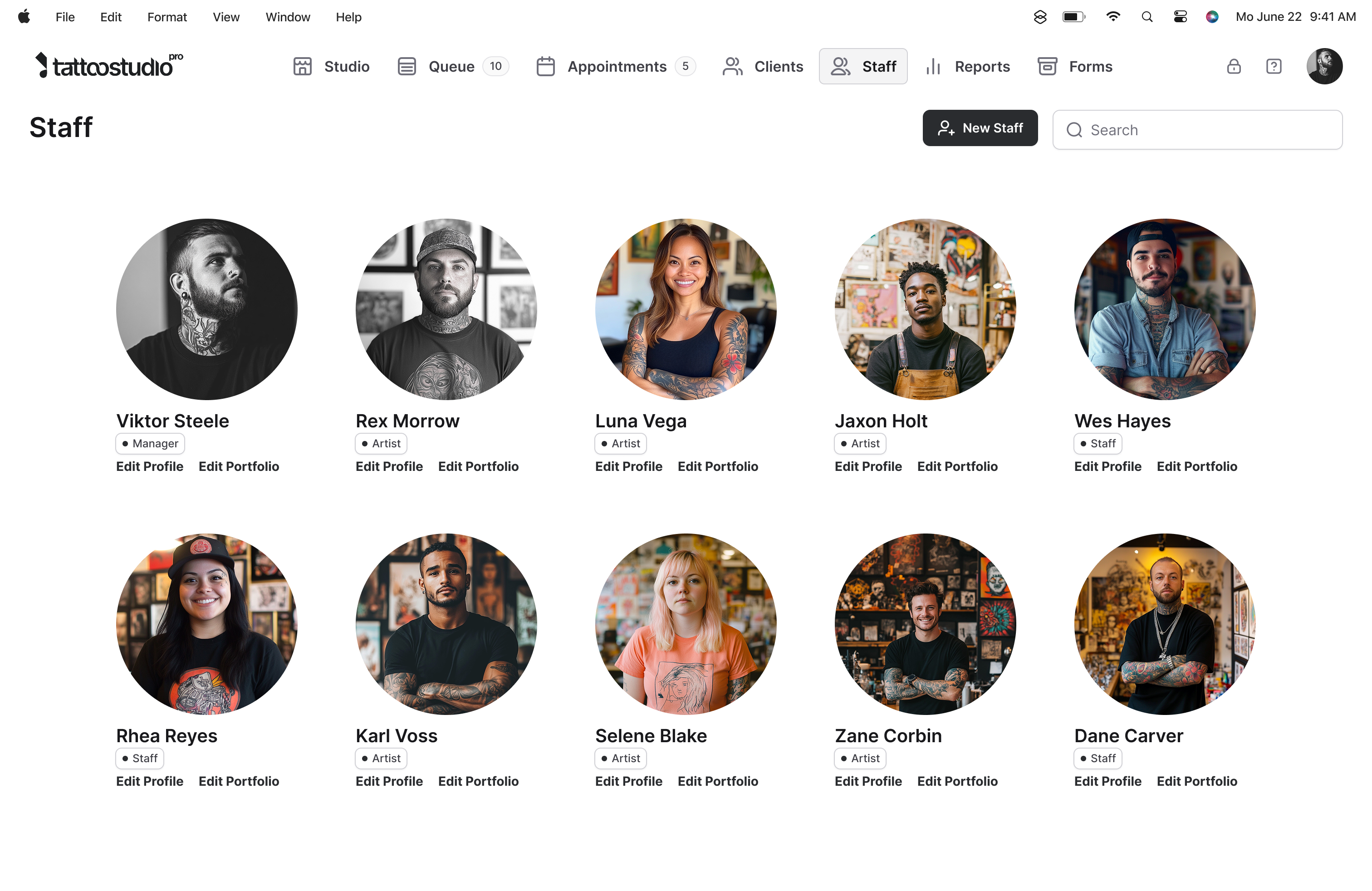
A shared login creates confusion about who did what and a security gap the day someone leaves. Every team member gets their own account with permissions that fit their role. Manager and Health Official accounts are free and don't count toward your plan.
A tattoo shop has four jobs, not two.
Generic team software gives you Admin and User. That works for an office. It does not work for a tattoo shop, where the owner wants to see reports, the artists want to run their own books, the front desk handles check-in but should not see commissions, and an inspector occasionally shows up and needs to see the forms archive and nothing else.
Role-based access here is built around how a shop actually runs. Four roles, each tuned to a real job, plus the controls to manage them without drama.
Four roles. Plus the controls to run them.
Owner / Manager
Queue, calendar, clients, forms, reports, settings, and team management. Adds and removes team members, and deactivating one ends their access everywhere at once. One per studio. Free, doesn't count toward your plan's team size.
Artist
Queue, calendar, client profiles, and the forms archive. Runs their own books and manages their own client history. Counts toward the plan's team size.
Staff
Queue and appointments only. Built for a front desk coordinator, an apprentice handling check-ins, or anyone who runs the floor without needing access to client histories or reports.
Health Official
Forms archive only. Nothing else. For the inspector who needs to verify compliance records during a visit. Free on every plan, doesn't count toward your team size.
Two roles that don't count
Manager and Health Official accounts are free on every plan. Crew (5 team members) means 5 team logins plus the Manager and Health Official, for 7 total. The free roles aren't a trick. They're built in.
Kiosk lock and per-person PINs
Each team member gets their own PIN. Lock the tablet and it drops to a client-facing kiosk showing your logo and three buttons, with no queue, calendar, records or reports visible. Their PIN opens the app back up to whatever their role allows. Auto-lock puts it back into kiosk mode on its own, per device.
Owner controls
Every lever, on one screen.
Invite by email. Change a role anytime. Deactivate an account the second someone leaves and the login stops working on every device at once, with their records left intact and the seat freed for the next hire. All of it from a single Team screen. See Security and Access for the access layer underneath.
What team accounts do not do.
It is not team scheduling. No shift assignments, PTO, or availability calendars. Who works which day is still something you manage the way you manage it today.
It is not payroll. Commissions and tips get tracked cleanly in reports, but cutting paychecks and handling withholdings is a job for a dedicated payroll service.
Multi-location team management is Empire-tier. Standard plans are single-location. If you run two or three shops, talk to us.
Quick answers.
How many logins do I actually get on my plan?
Your plan's team size plus one Manager plus one Health Official. Example: Crew (5 team members) gives you 5 team logins plus the free Manager and Health Official, for 7 total logins.
Do artists really count if they spend all day tattooing?
Yes. Every active team member counts, whether they log in every day or not. If they are on your team, they count. When someone leaves, deactivate their account and they stop counting the same day.
Can team members use their own phones?
Yes. Team members can log in from shared studio tablets or from their personal devices. PIN codes keep things clean on shared hardware.
What happens when we outgrow our plan?
Upgrade to the next tier. All your data, settings, and accounts stay put. You just get more seats for team members.
Can I change someone's role?
Yes. The Owner or Manager updates roles and permissions anytime from the Team screen.
What about multi-location studios?
Multi-location support is available on Empire plans (26+ team members). Standard plans are single-location.