DIGITAL FORMS WILL STREAMLINE CLIENT INTAKE AND consent.
Managing a studio shouldn't mean drowning in paperwork. Tattoo Studio Pro's Digital Forms feature makes your workflow more efficient, your studio more organized, and your client experience smoother. Clients fill out intake, consent, health, and guardian forms on their own device before they arrive.
Why digital forms?
Managing a studio shouldn't mean drowning in paperwork. Tattoo Studio Pro's Digital Forms feature makes your workflow more efficient, your studio more organized, and your client experience smoother. The clipboard at the door, the medical section nobody can read, the filing cabinet you keep meaning to sort: all of it goes digital.
Not sure what a tattoo consent form needs to include? We put together a free guide covering legal requirements, what to collect from clients, and a downloadable template your studio can use today. See the tattoo consent form guide →
Powerful features built for artists.
A form editor built for studios
Use the built-in form editor to create tailored forms that match your studio's unique services.
A form per service
Tattoo, piercing, and any custom service you add each get their own template, with acknowledgement blocks you write and a health questionnaire you build category by category.
Customizable fields
Customize the fields you collect, making key information mandatory or optional based on your needs.
Editable health questionnaire
Edit and expand your health questionnaire to include specific categories or items relevant to your studio.
Forms in any language
Create forms in any language, ensuring inclusivity and accessibility for all your clients.
A QR code on your counter
Print the QR code, stand it on the counter, and walk-ins scan it and fill the form in on their own phone. Booked clients get a check-in link in their reminder text and arrive with it already done. Or hand them the tablet. Whatever suits the day.
Guardian consent for minors
Enable parent or guardian consent for clients under 18 with a quick toggle in settings.
An archive you can actually search
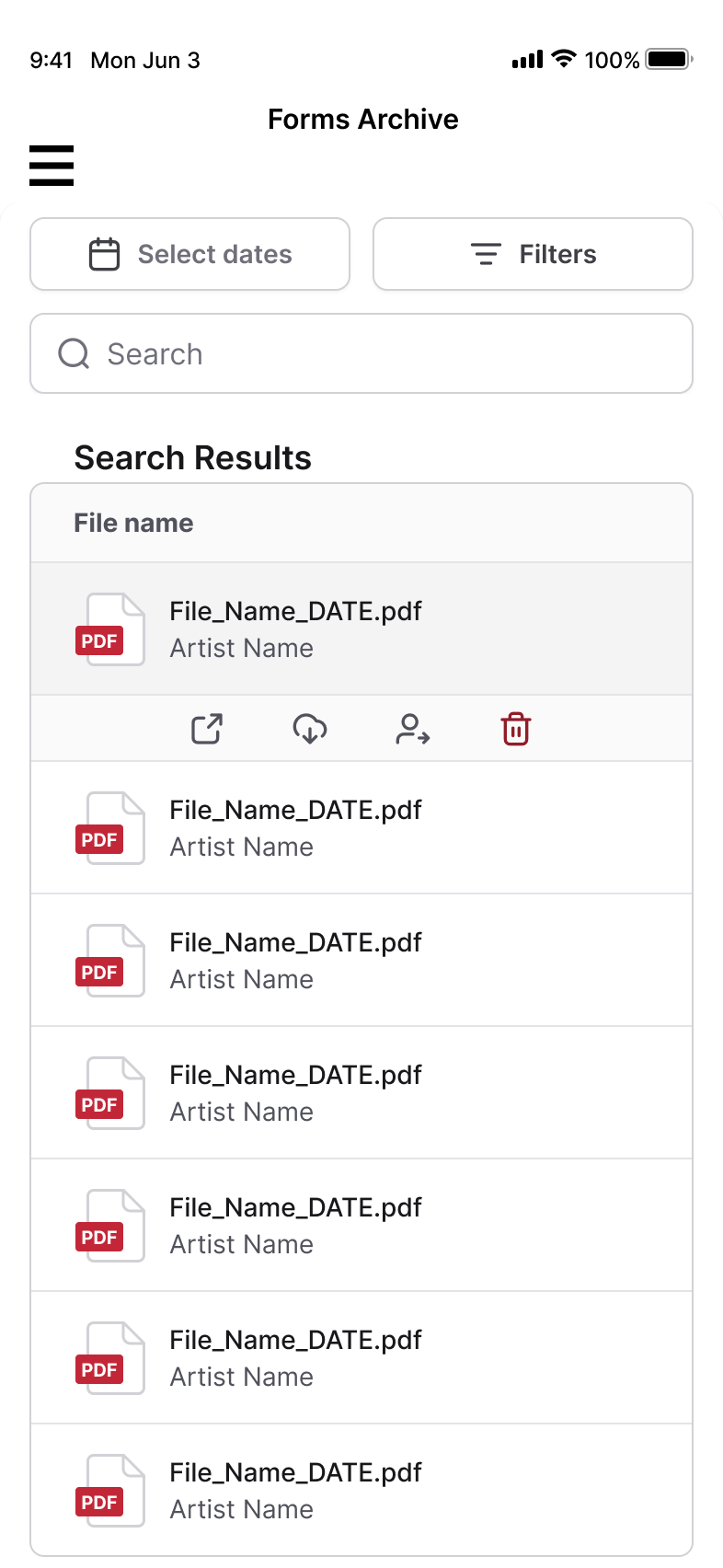
Every signed form is stored as a PDF on the client profile and in the archive. Search by client name, narrow to a date range, or filter to a single artist.
Why digital forms transform your studio.
Go paperless
Eliminate physical forms to save on storage, reduce waste, and cut down on printing costs.
A record you can produce on demand
Every form is signed on screen and saved as a timestamped PDF carrying the questionnaire answers, the acknowledgements in force that day, and the signature. Download it whenever an inspector asks.
Save time
Skip the clutter of filing cabinets. Forms are automatically stored and attached to client profiles for quick access.
Impress clients
Offer a modern, tech-savvy experience with fast and professional check-ins.
What artists say about digital forms.
"The form editor is a game-changer. I created custom health questionnaires in minutes, and now everything is organized and at my fingertips."
"Being able to offer forms in multiple languages has helped me connect with more clients and make everyone feel welcome."
How it works.
- Use the built-in editor to design forms that meet your exact needs.
- Add branding and customize content for different services.
- Share forms via email, or have clients fill them out in-studio.
- Customize fields and health questionnaires to capture only the details you need.
- Securely store forms in the cloud and find them in seconds using client or session search tools.
- Update templates anytime to reflect new services or regulations. No reprinting required.
Frequently asked questions.
Do the forms hold up as a record?
Each form is signed on screen and saved as a timestamped PDF containing the exact acknowledgement text in force on the day, the questionnaire answers, and the signature. Whether that satisfies your local requirements is between you and your health authority, so check what your area asks for.
Can I create multiple templates for my services?
Absolutely. Create as many form templates as you need, each tailored to your services or processes.
Can I customize what information I collect?
Yes, you can decide which fields are required, add custom fields, or create entirely new questionnaire categories.
Do you support forms for minors?
Yes, you can enable parent or guardian consent in your settings for clients under 18.
What if I need forms in multiple languages?
No problem. You can create forms in any language, ensuring accessibility for all your clients.
Need a starting point before going fully digital? Download our free tattoo consent form template. It covers all 50 states and works as a printable PDF or digital form.